You're awake. Holt has already read the night.

Know before
you push.

Holt reads last night's sleep, your HRV and the training you've already done, then says in one sentence what today can take. It works with a Garmin watch. It also works with nothing but your phone.

Free. No ads. No account needed to start.Works with Garmin

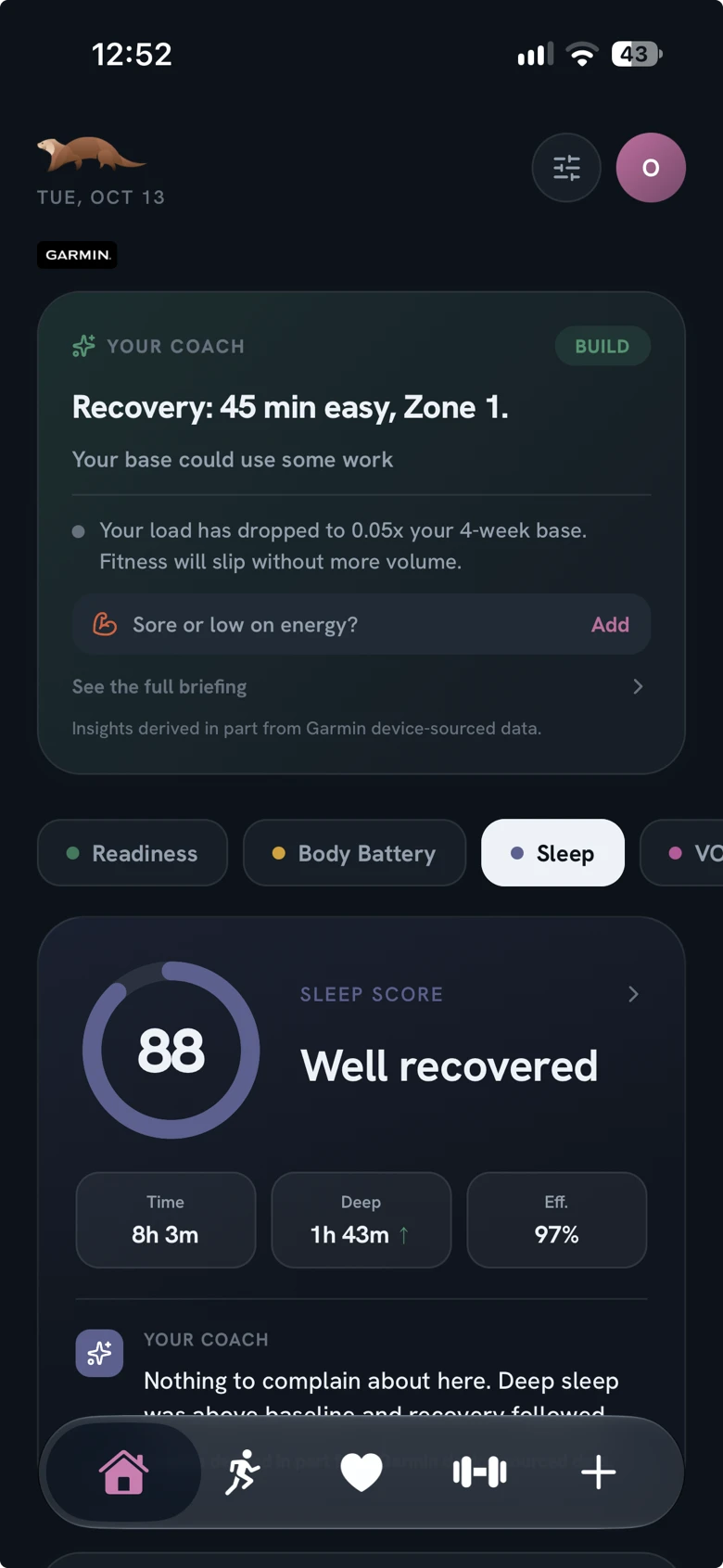
Holt's Home screen: today's call from the coach, then last night's sleep score with one line on what it means.
The call

One sentence, before you've decided anything.

Most mornings you don't need a dashboard. You need to know whether today is a day to push or a day to ease off. Holt opens on that answer and keeps every number behind it one tap away.

What it read overnight
Marker Two weeks Last night Against your usual
Sleep 8h3m Score 88
HRV 59ms 2 below
Resting heart rate 52bpm Level
Body Battery 100 Charge on waking
Stress 19 Low, all of yesterday
Breathing rate 14.6per min Level

Today's read

Ready to train.

Recovery looks good across the board today. You're in good shape to train.

Example figures. Sleep, HRV, Body Battery and the rest are Garmin's own measurements, shown as measured and never re-scored. Readiness is Holt's reading of them, judged against your baseline and nobody else's.

The session

Then it tells you what to do with it.

  1. Rest
  2. Recover
  3. Hold
  4. Build
  5. Push

Every day gets one of five calls, sized from everything you did before today. If the day has a session in it, Holt writes it out: how long, and how hard.

No heart rate to go on? The same sessions are written as effort out of ten, or as walks if walking is what you do.

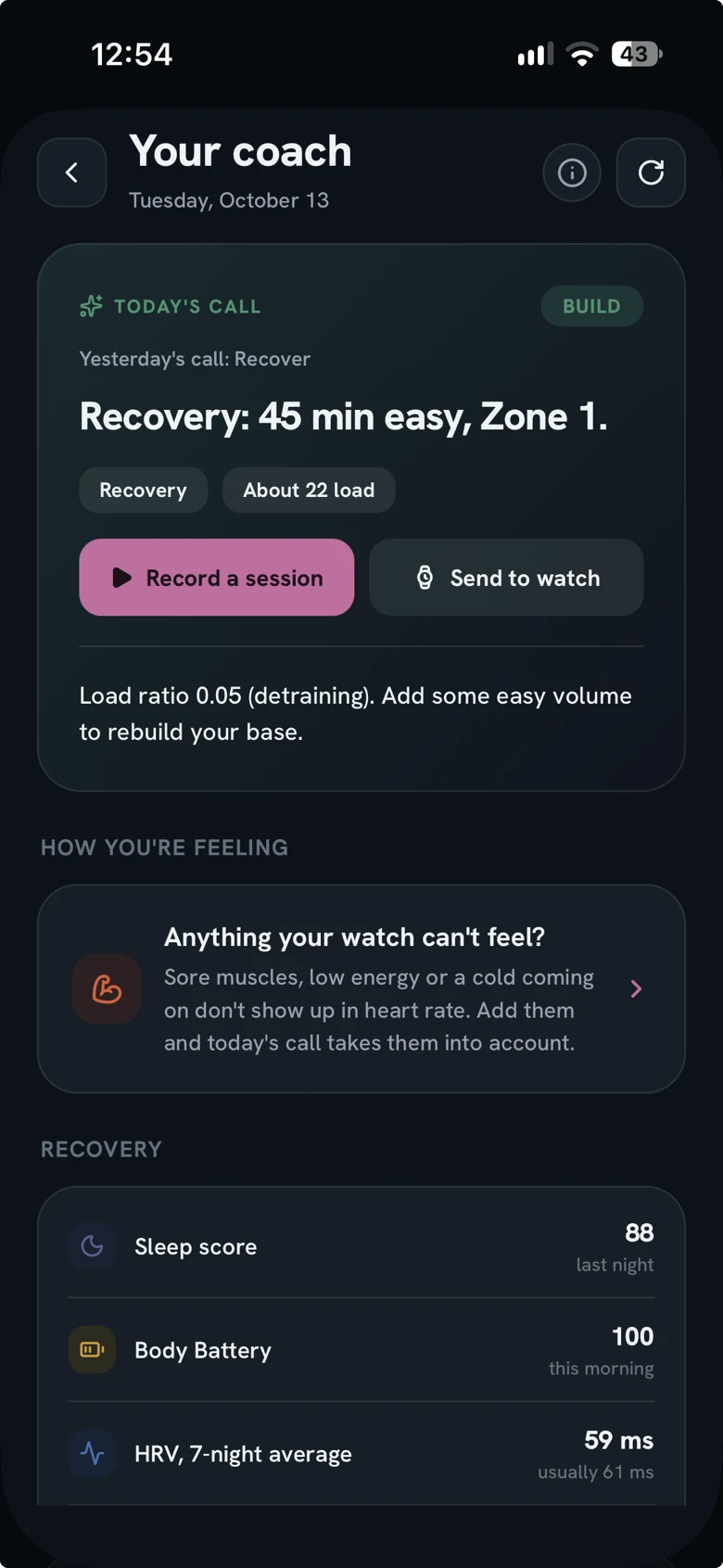
One tap sends it to your Garmin as a workout for today. The watch runs the steps and holds you to its own heart rate zones. Switch on Send every morning and it's on your wrist before you're out of bed.

Afterwards, Holt checks the session against the call: on plan, harder, or lighter. Tomorrow's call takes it into account.

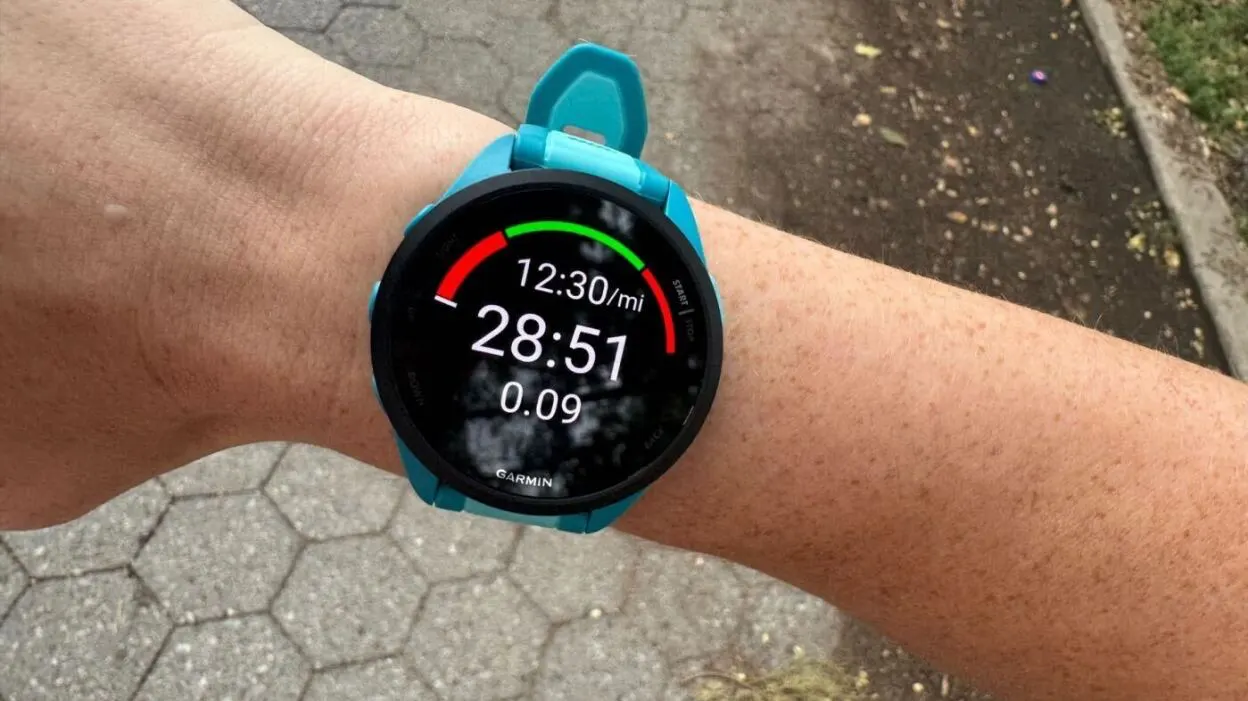
A Garmin watch on a wrist in the middle of a workout, showing pace, time and distance under a target gauge.
Holt's coach briefing. Today's call is Build: Recovery, 45 min easy, Zone 1, with buttons to record it or send it to the watch.

The briefing in Holt, and a Garmin in the middle of a workout. Photo: Meredith Dietz

Tell it what the watch can't feel.

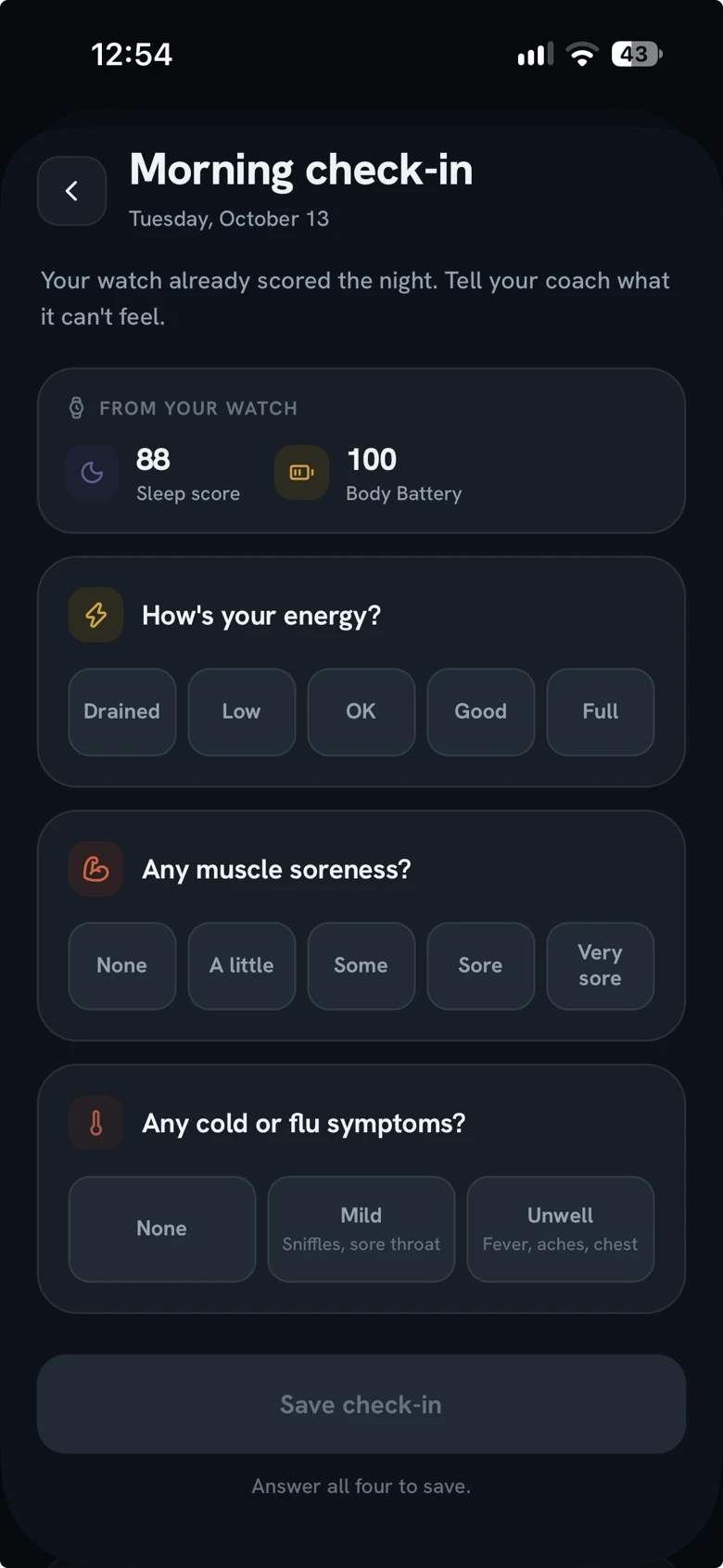
Sore muscles, low energy or a cold coming on don't show up in heart rate. Add them in a short check-in, and today's call takes them into account.

The morning check-in for a watch wearer: last night's sleep score and Body Battery from the watch, then questions about energy, soreness and symptoms.

A lunchtime walk, phone in your pocket.

No watch?
Still counts.

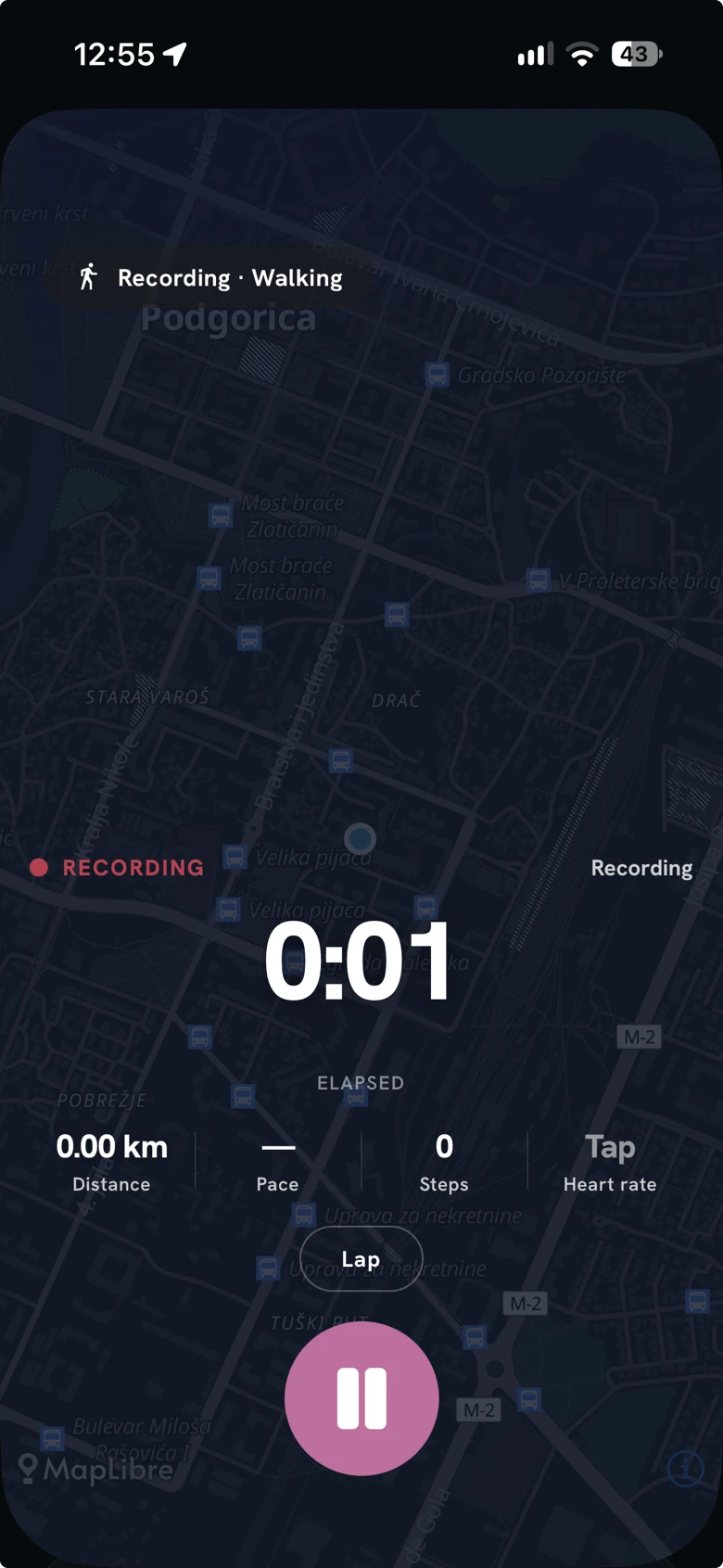
Holt is a whole tracker with nothing on your wrist. Record a walk, run, ride or hike with your phone's GPS and step counter, and it lands in the same place as everything else.

Four questions each morning
Sleep, energy, soreness, stress. Ten seconds, and the coach knows whether to push you or hold you back.
Effort, out of ten
Rate a session when you finish. Skip it, and Holt estimates from your pace on the same scale.
Recording a walk in Holt: a live map, the elapsed time, and distance, pace and steps underneath.
All dayThe glance

Know the number before you unlock.

Holt's widgets put the day's numbers on your home screen and lock screen, so a glance at your phone is enough. You choose which numbers they show.

Metric
One number, out of ten to choose from. Show it as a ring, a short chart, or on its own.
Overview
The number you care about most, with the rest of your day around it. Medium or large, and extra large on iPad.
Lock Screen
A gauge, a few lines, or a single line of text beside the date.
Live Activity
While you record, distance, steps and time stay on the lock screen and in the Dynamic Island.

Tap a widget and Holt opens on that number. Home screen widgets work on iPhone and Android. Lock Screen widgets and the Live Activity are iPhone only and need iOS 17; on Android a recording shows as a notification with pause and stop. Example figures.

The work

Do the session.
Then read it back.

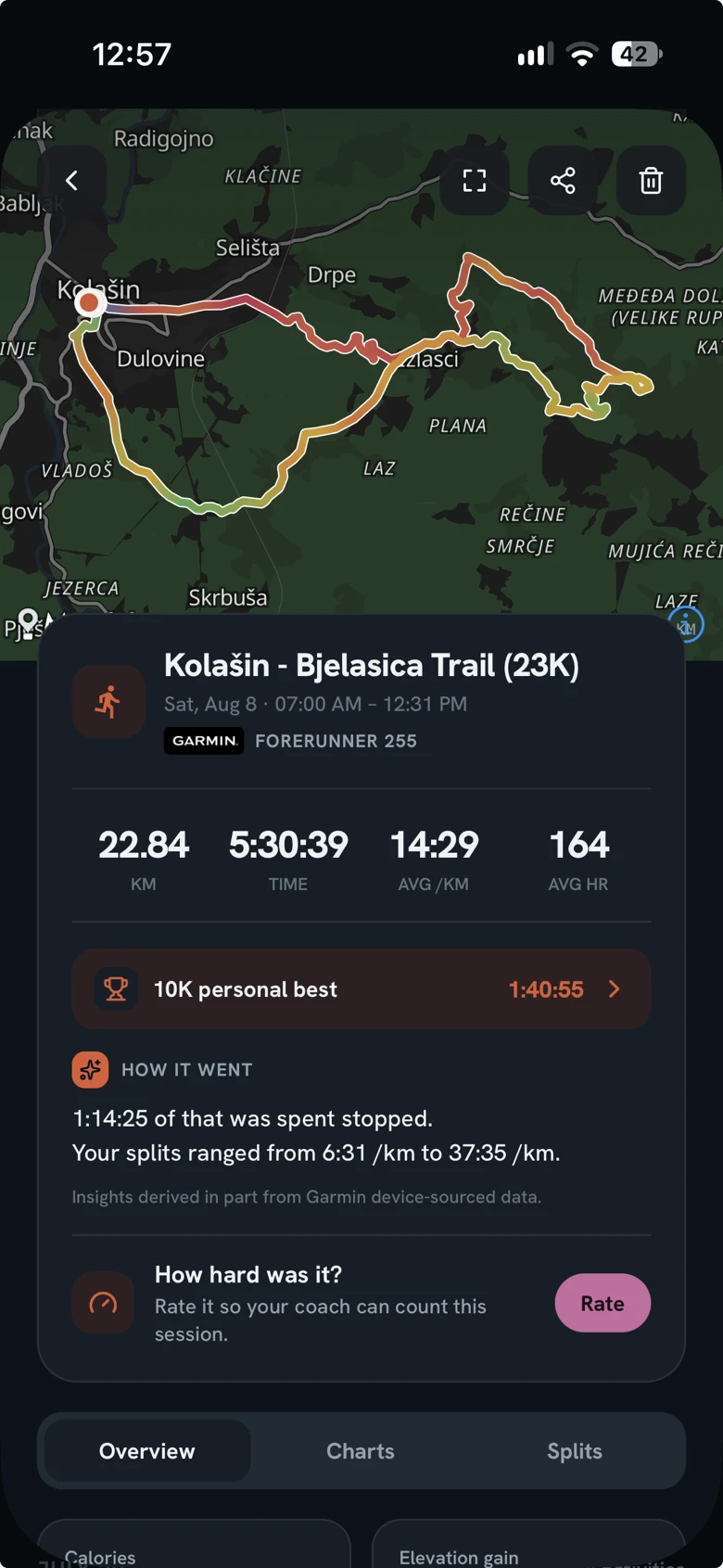
Whatever recorded it, your watch or your phone, an activity opens the same way: the route, the splits, the time in each zone, and charts built from the same samples.

  1. A trail run in Holt: the route drawn on a map, then distance, time, pace and heart rate, a personal best, and a line on how it went.
    Fig. 3

    The activity

    The route, colored by heart rate, speed or climb. Then splits, charts, and a plain line on how it went.

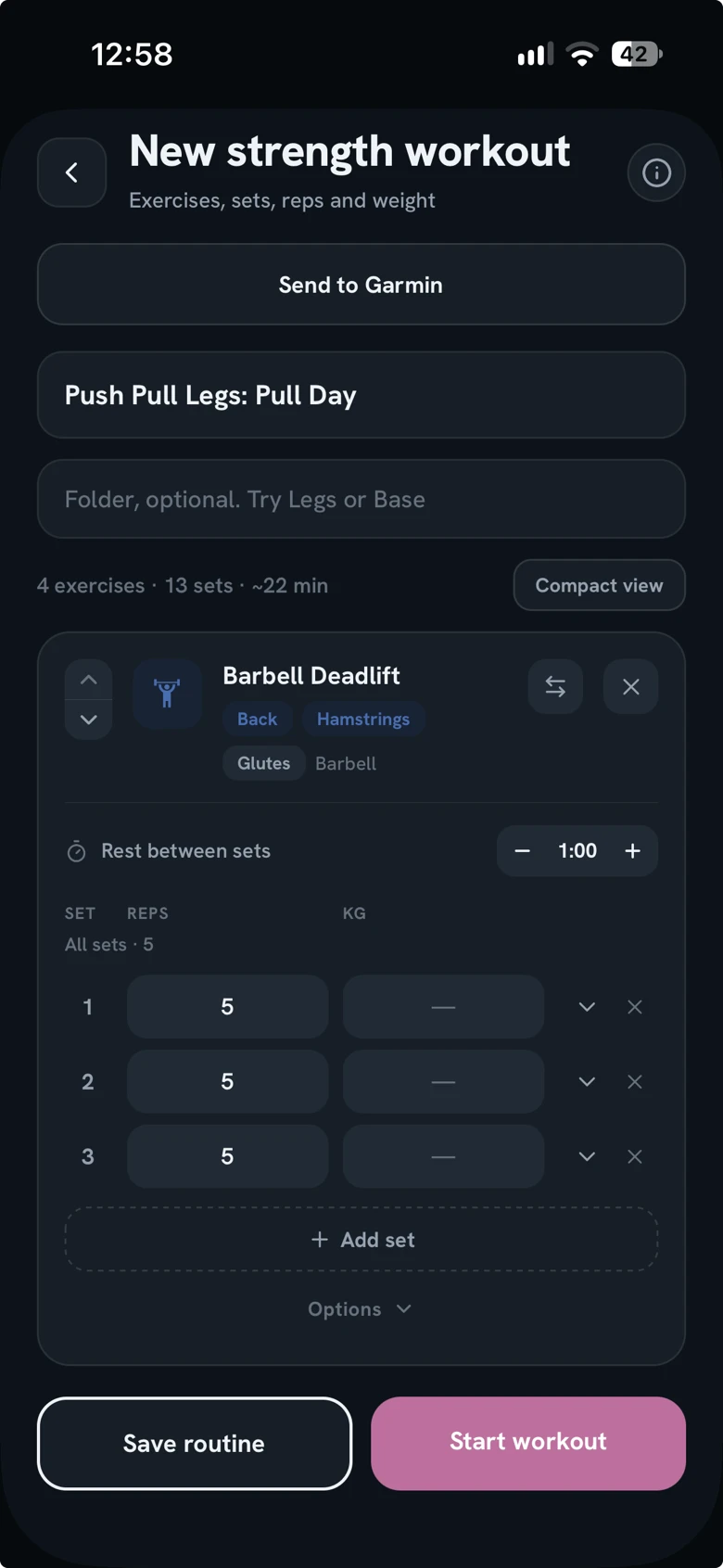
  2. Building a strength routine in Holt: sets, reps, weight and rest time for a deadlift, with buttons to send it to Garmin or start the workout.
    Fig. 4

    Strength

    Build a routine set by set, with supersets and rest timers. Follow it on your phone, or send it to your Garmin.

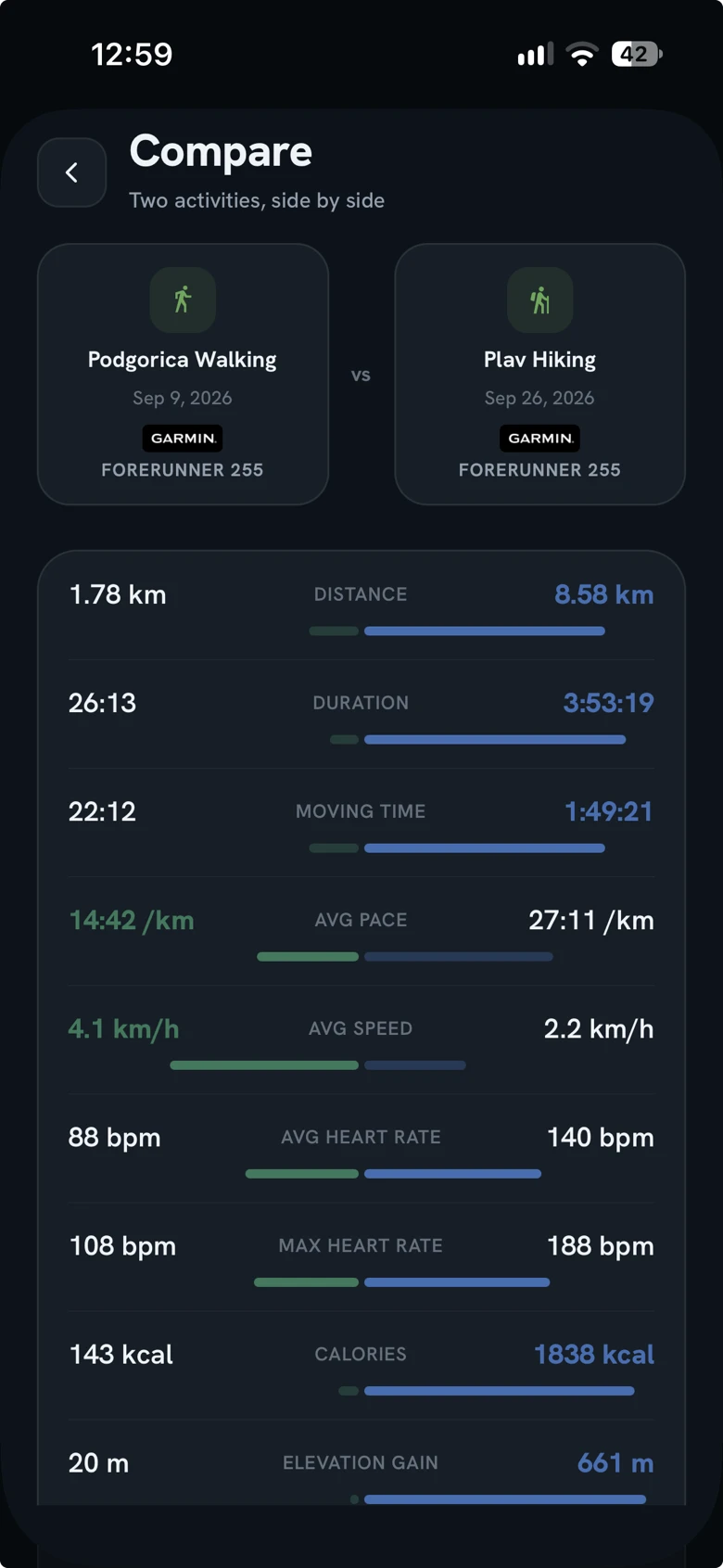
  3. A walk and a hike compared in Holt, metric by metric.
    Fig. 5

    Compare

    Two activities side by side, and a plain verdict on which one came out ahead.

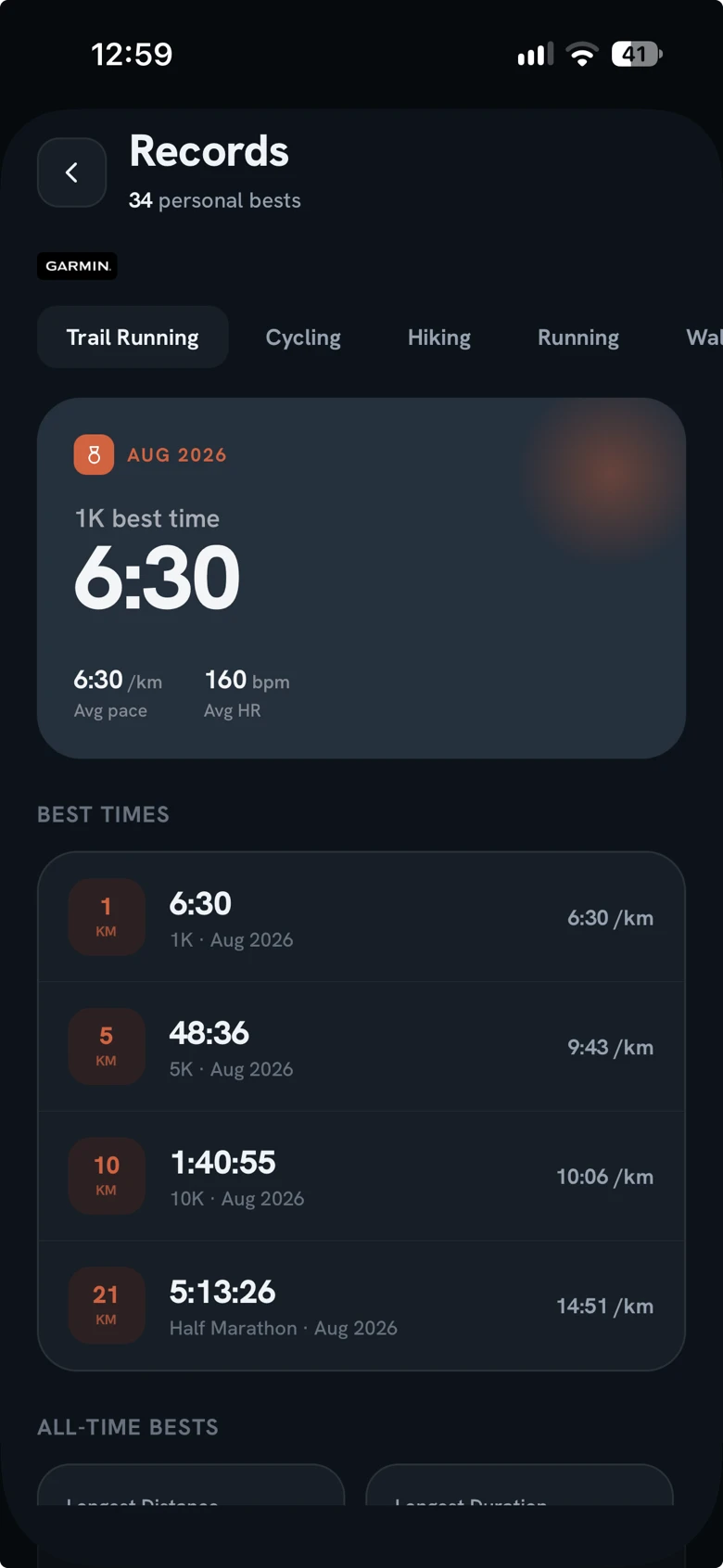
  4. Trail running records in Holt: best times for 1K, 5K, 10K and the half marathon.
    Fig. 6

    Records

    Best times from 1K up, then longest, fastest and most climbing. Kept per sport.

The share

Some days are worth showing.

Any activity turns into one clean image: the route, how far, how long, then pace, climb and heart rate. Keep it on white, or put one of your own photos behind it.

Sized for stories
1080 by 1920, so it fills a story edge to edge. It reads just as well dropped into a chat.
Shared by you, not by Holt
Holt makes the image and hands it to your phone's share sheet. Nothing is posted or saved for you.
A narrow path through golden grass, climbing toward rocky slopes that disappear into fog.

Your phone buzzes once.

Every personal best, kept.

22.84km

Longest trail run. Example figure.

Holt goes through every activity as it lands and tells you the moment you go further, faster or longer than you ever have.

Alsoin the app

Smaller things, built with the same care.

Vitals
Every health marker in one list, each with its own history a tap away.
Trends
Weeks and months of pace, distance and heart rate, per sport.
Fitness tests
Cooper and Rockport, timed and scored in the app.
Calendar
The training month at a glance.
Shared routines
Send a strength routine as a link. One tap adds it.
Notifications
A record, a goal reached, a finished night. Each one switches off on its own.

Yours to theme.

Five backgrounds, eight accents, light or dark. The swatches are the app's own. Try them on this page.

Background
Accent

Green on Green, the way this page ships.

The den

Yours, and quiet about it.

No ads, nothing sold

Holt has no advertising in it, and your data is never sold to anyone.

No account needed

Start without one. Add an account later if you want your history to follow you to a new phone.

Leave whenever

Delete account, in Settings, removes your activities, your Garmin history, your routines and your profile for good.

Your location is used to record an activity. Your health data is used to show it back to you and to make the day's call. The rest is in the privacy policy.

Sleep on it.
Holt reads the night.

Install it tonight, and see what it makes of tomorrow morning.

Free on iPhone and Android. iPhone needs iOS 16.4 or later.

Get Holt, free